HTTPS support is something that is being discussed more and more. In January, news broke that Google Chrome would mark websites without HTTPS support as insecure in places where credit card details must be entered. It is now clear that as of October 2017, ALL websites that lack HTTPS support and require users to enter text—including search boxes and contact forms—will be marked as insecure.
Google: “Starting in October 2017, Chrome will show the ‘Not secure’ warning in two additional situations: when users enter data on an HTTP page, and on all HTTP pages visited in Incognito mode.”
Do you look for the secure connection indicator when making a purchase from an online store? Or, while managing your own website, do you think about encrypted secure traffic—ensuring that your customers’ sensitive data does not leak?
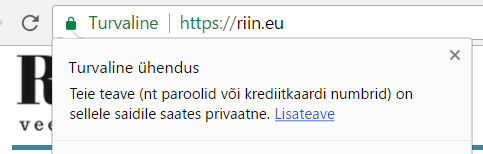 HTTPS at the beginning of a web address encrypts the flow of information so that trans-mitted data is not readable by viruses or malicious actors. HTTPS adds significant security to a page and helps protect against the leakage of passwords and other sensitive information.
Ordering an HTTPS certificate is free and available to everyone.
Zone guide for setting up HTTPS
Veebimajutus guide for setting up HTTPS
If you have already set up the HTTPS certificate on your website, you can check if the redirection has been implemented correctly